
Download Sleep Recorder – sleep recorder, sleep tracking, snoring, dream talk, sleep monitoring, sound recording, sleep analysis
Overview
Sleep Recorder is a free Android application designed for individuals seeking a straightforward way to monitor their sleep patterns through audio recording. Developed by YHWMob-Lab, the app falls within the Lifestyle category and focuses on capturing nighttime sounds such as snoring and sleep talk. Its primary purpose is to help users identify potential disruptions in their sleep cycle by recording relevant audio without unnecessary background noise.
The app is particularly useful for people who want to analyze their sleep behaviors, especially those concerned about sleep quality, breathing irregularities, or vocalizations during sleep. It is ideal for consumers interested in personal health tracking, including individuals with suspected sleep apnea or those simply curious about their nocturnal habits. The software operates entirely on Android devices and is intended for offline use, making it accessible without internet connectivity.
With its minimalistic design and intuitive functionality, Sleep Recorder caters to users who prefer a no-frills approach to sleep monitoring. The developer did not provide additional details about the app’s background or development philosophy.
Key Features & Capabilities
- Automatic Silence Skipping: The app automatically detects and skips silent intervals after a user-defined threshold, ensuring only meaningful audio—such as snoring or talking—is retained. This feature reduces playback time and improves efficiency when reviewing recordings.
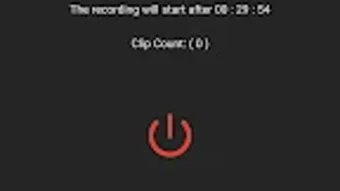
- Delay Start Timer: Users can set a countdown before recording begins, allowing them to start the app before going to bed without needing to manually trigger it.
- Auto-Save to Organized Folders: All recordings are automatically stored in dedicated folders, simplifying file management and retrieval.
- Visual Sound Waveforms: Each recording displays a waveform visualization, enabling users to visually identify snoring bursts or vocal events before listening to the full clip.
- Playback and Management Tools: The app supports autoplay across multiple clips in a folder, as well as the ability to rename, share, delete, or mark recordings as favorites during playback.
- External Storage Access (Android 10+): For newer Android versions, users can copy favorite recordings to the shared Downloads directory or removable storage like SD cards.
- Direct File Access (Android 10-): On older versions, the app provides the file path for direct access to all recordings.
These capabilities make Sleep Recorder a practical tool for users who want to track sleep-related audio events without relying on complex medical devices. The visual and organizational features enhance usability, especially for those reviewing multiple nights of recordings.
User Interface, Workflow & Performance
Sleep Recorder features a clean, minimal interface focused on core functions: starting a recording, reviewing clips, and managing files. Navigation is straightforward, with primary actions accessible from the main screen. The workflow is designed for simplicity—users can set a delay, start recording, and later access their files with just a few taps.
The app does not require complex setup or configuration, which contributes to a smooth user experience. All recordings are displayed in a list with waveform previews, allowing quick visual scanning. The autoplay function streamlines playback of multiple clips, and the ability to mark favorites adds a layer of personalization.
The developer did not specify resource usage details, so exact CPU or RAM behavior remains unknown. Performance observations are based on general software behavior patterns. Stability during long recordings was not publicly reported, but the app’s lightweight nature suggests it is unlikely to cause system strain.
No reported crashes or freezes were mentioned in the release notes.
Compatibility & System Requirements
Sleep Recorder is compatible with Android operating systems and is available in version 2.2. The installation size is 4.4 MB, indicating a lightweight footprint. The developer did not specify exact system requirements, such as minimum Android version, processor speed, or memory.
Compatibility information was partially provided, with support confirmed for Android 10+ and Android 10- devices. For Android 10+, the app supports copying recordings to external storage, while older versions provide direct file paths. The developer did not provide additional details about hardware compatibility or required permissions beyond standard audio access.
Pros and Cons
Pros
- Free to download and use with no in-app purchases
- Simple, intuitive interface suitable for non-technical users
- Automatic silence skipping improves recording efficiency
- Visual waveform display helps identify key events quickly
- Organized auto-saving to folders enhances file management
- Supports playback of multiple clips in sequence
- Accessible on both older and newer Android versions
Cons
- Exact system requirements were not listed
- No real-time analysis or automated sleep pattern reporting
- Relies solely on audio input without additional sensors
- Visual feedback is limited to waveforms, with no analytics dashboard
- Does not support cloud backup or synchronization
FAQ Section
Is Sleep Recorder available for iOS devices?
Sleep Recorder is currently available only for Android devices. There is no official version for iOS platforms.
Can I use Sleep Recorder without an internet connection?
Yes, the app functions entirely offline. All recording, playback, and file management occur locally on the device.
Does Sleep Recorder require special permissions?
The app requires standard audio recording permissions to function. No additional or unusual permissions were reported in the release notes.
How are recordings organized on my device?
All recordings are automatically saved to separate folders. Users can access these folders directly via file manager or through the app’s built-in navigation.
Can I transfer recordings to my computer?
Yes, recordings can be transferred using USB, cloud services, or by copying them to the Downloads folder or SD card (on Android 10+).
Final Thoughts
Sleep Recorder offers a practical, no-cost solution for individuals interested in monitoring snoring and sleep talk through audio capture. Its combination of automatic silence skipping, visual waveform analysis, and organized file management makes it a standout choice among basic sleep tracking tools. While it lacks advanced analytics or real-time insights, its simplicity and reliability make it ideal for casual users and those exploring sleep health without medical-grade equipment.
The app’s lightweight design and minimal resource usage ensure smooth performance on most Android devices. For anyone seeking a secure, easy-to-use desktop alternative for sleep monitoring, Sleep Recorder delivers value without complexity. Download Sleep Recorder now.






.png)
